Syntax of the complete SELECT command


  • The SELECT command that we have learned has 2 more optional clauses

  • The complete syntax of the SQL SELECT command is:

      SELECT    <list of attributes 1>      
      FROM      <list of relations>
     [WHERE     <tuple-condition>]       ([ ] means: optional)  
     [GROUP BY  <list of attributes 2>]
     [HAVING    <group-condition>]   

    We will discuss the GROUP BY clause in this class.

The effect of the GROUP BY operation

Suppose we have the following 4 employees in the employee relation/table:
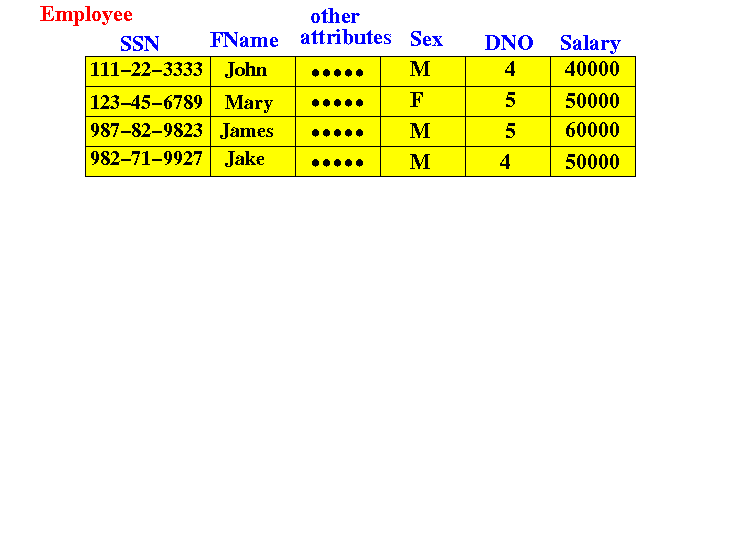
We can group the employee tuples by their values in one or more attributes

The effect of the GROUP BY operation

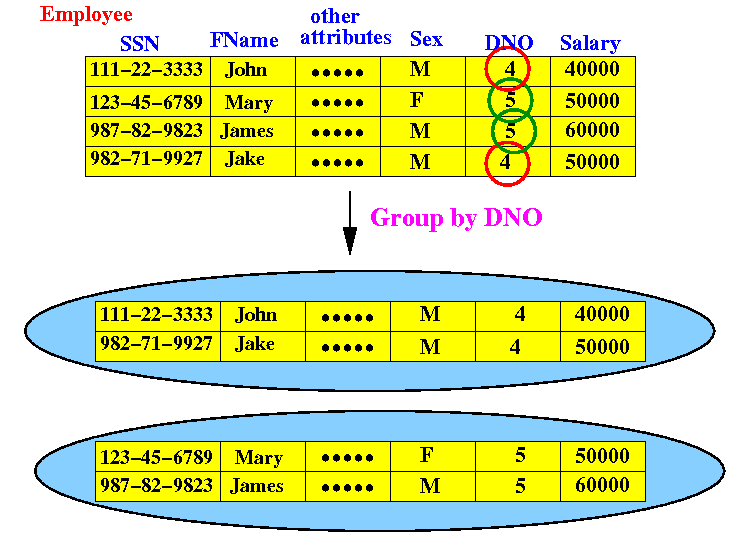
Suppose we want to group the employee tuples (rows) by the values in the DNO attribute:
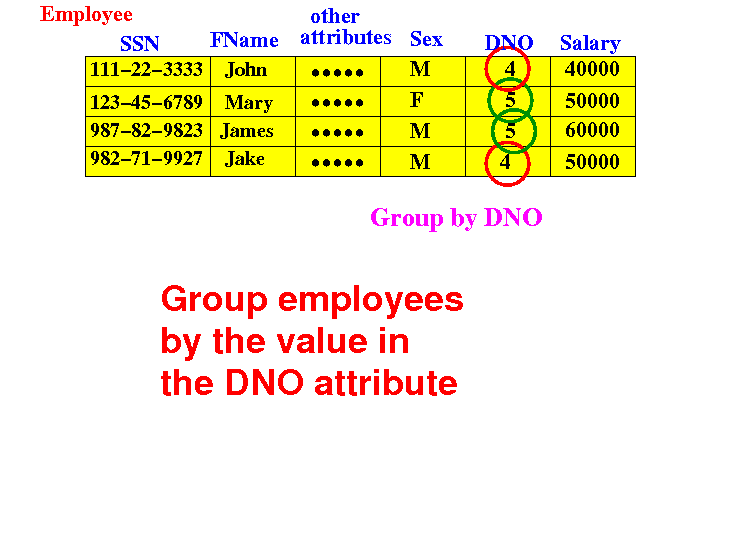
I.e.: we separate the employee tuples according to the value in their DNO field

The effect of the GROUP BY operation

The first group formed will be employees in DNO=4:
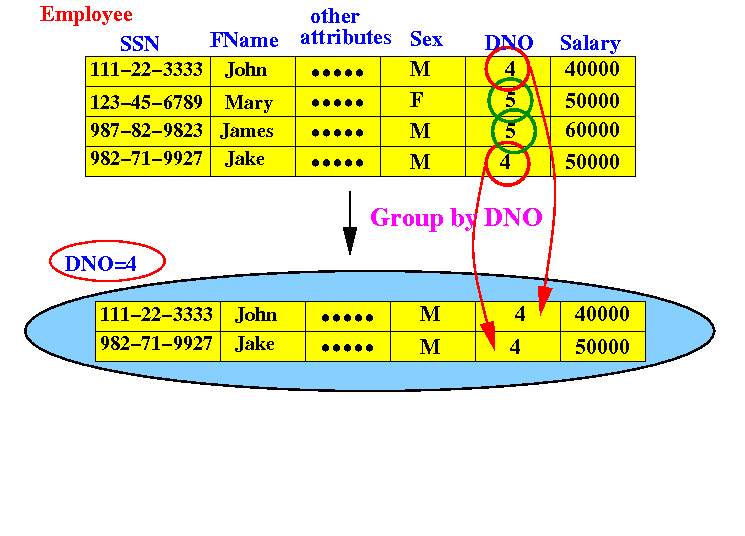
 

The effect of the GROUP BY operation

The second group formed will be employees in DNO=5:
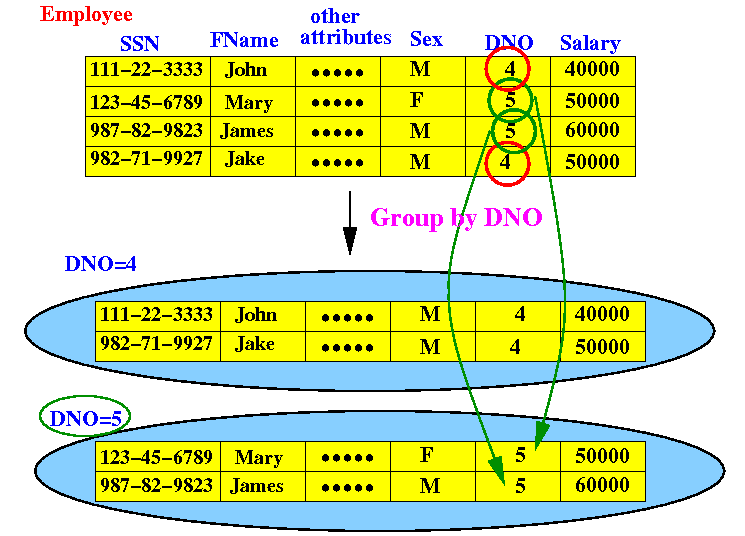
There are no more groups left to form. We are done !

The effect of the GROUP BY operation

The result of the GROUP BY DNO operation is:
Let's do one more GROUP BY example.

The effect of the GROUP BY operation

Suppose we want to group the employee tuples (rows) by the values in the DNO and Sex attributes:
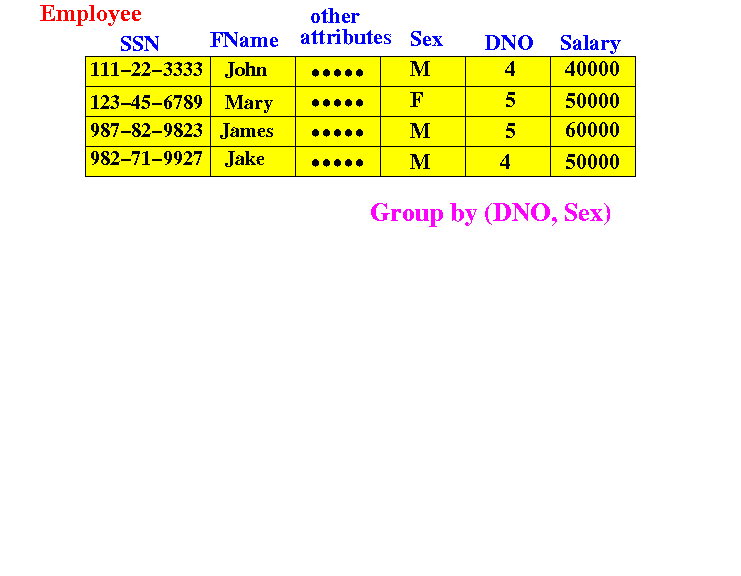
Which groups will be formed ???

The effect of the GROUP BY operation

Answer:
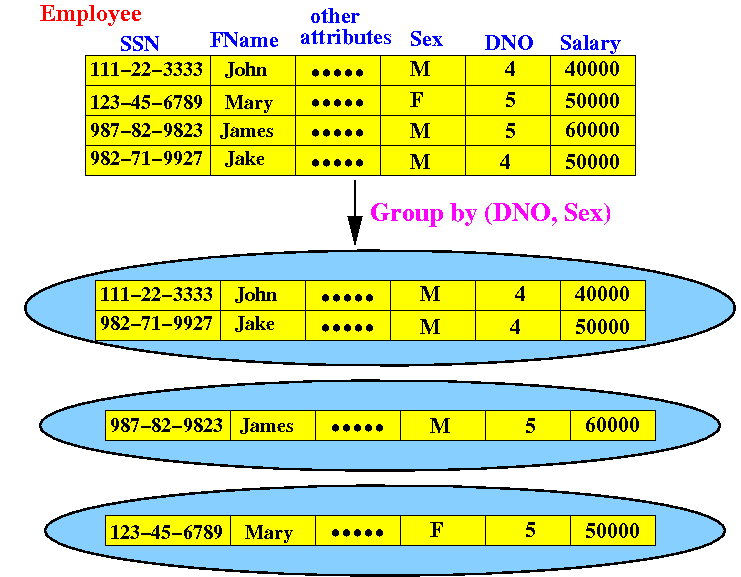
Notice:   there is no group formed for DNO=4 and Sex=F !!

What can you do after forming groups ?

After forming groups:

We can apply set functions on each group separately !!!

What can you do after forming groups ?

Example: total salary paid to employees per department:
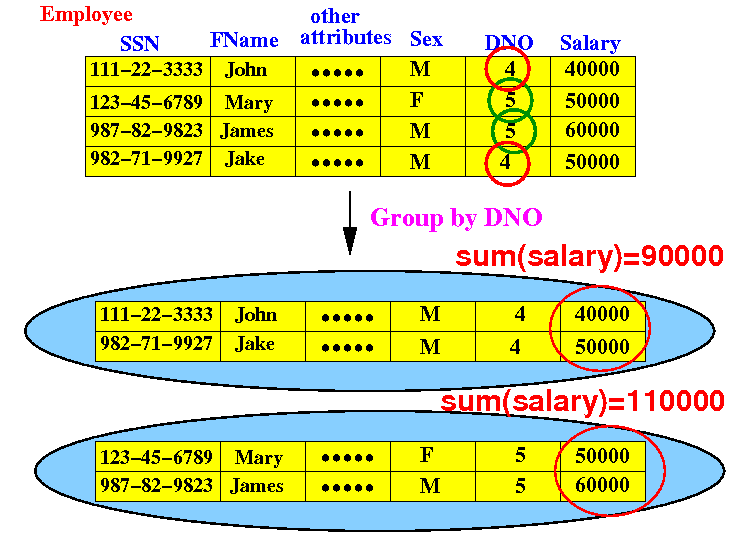
We now learn how to express this operation in SQL.

Your first SQL query using the GROUP BY clause


  • Find the total salary paid to employees per department number

     SELECT    ...
     FROM      ...


  • Which relation(s) contains the information to answer this query ?

Your first SQL query using the GROUP BY clause


  • Find the total salary paid to employees per department number

     SELECT    ...
     FROM      employee


  • Next: form groups of employees based on the attribute value in the DNO field.

Your first SQL query using the GROUP BY clause


  • Find the total salary paid to employees per department number

     SELECT    ...
     FROM      employee
     GROUP BY  dno
      

  • Next: compute sum(salary) for each group

Your first SQL query using the GROUP BY clause


  • Find the total salary paid to employees per department number

     SELECT    sum(salary)
     FROM      employee
     GROUP BY  dno
      

  • It works, but... the dno information in missing... how do we fix this ?

Your first SQL query using the GROUP BY clause


  • Find the total salary paid to employees per department number

     SELECT    dno, sum(salary)
     FROM      employee
     GROUP BY  dno
      

  • Done !!

Restriction on the attribute list in the SELECT clause when using GROUP BY

  • Limitation imposed by the GROUP BY clause:

        SELECT    <list of attributes 1>      
        FROM      <list of relations>
       [WHERE     <tuple-condition>]       ([ ] means: optional)  
       [GROUP BY  <list of attributes 2>]
       [HAVING    <group-condition>]   

    The <list of attributes 1> must be a subset of attributes of the <list of attributes 2>

    (Because after forming a group, individual properties are no longer meaningful !!!

    E.g.: one's name is not meaningful for a group of employees)

Practice GROUP BY queries


  • For each department number, find the number of employees in that department

  • For each department name, find the number of employees in that department

  • For each department name, find the highest salary paid to some employee in that department

  • Find the total salary paid to male and female employees (seperate total) for each department name

Homework


  • For each employee with dependent, find the number of dependents of that employee

  • Find the number of hours that each employee works on hir/her projects

  • For each project, find the number of employees who work on that project

  • For each employee who supervises someone, find the number of employees that he/she supervises